
LinkedIn Adds an AI Slop Button as It Cracks Down on Low-Quality Posts
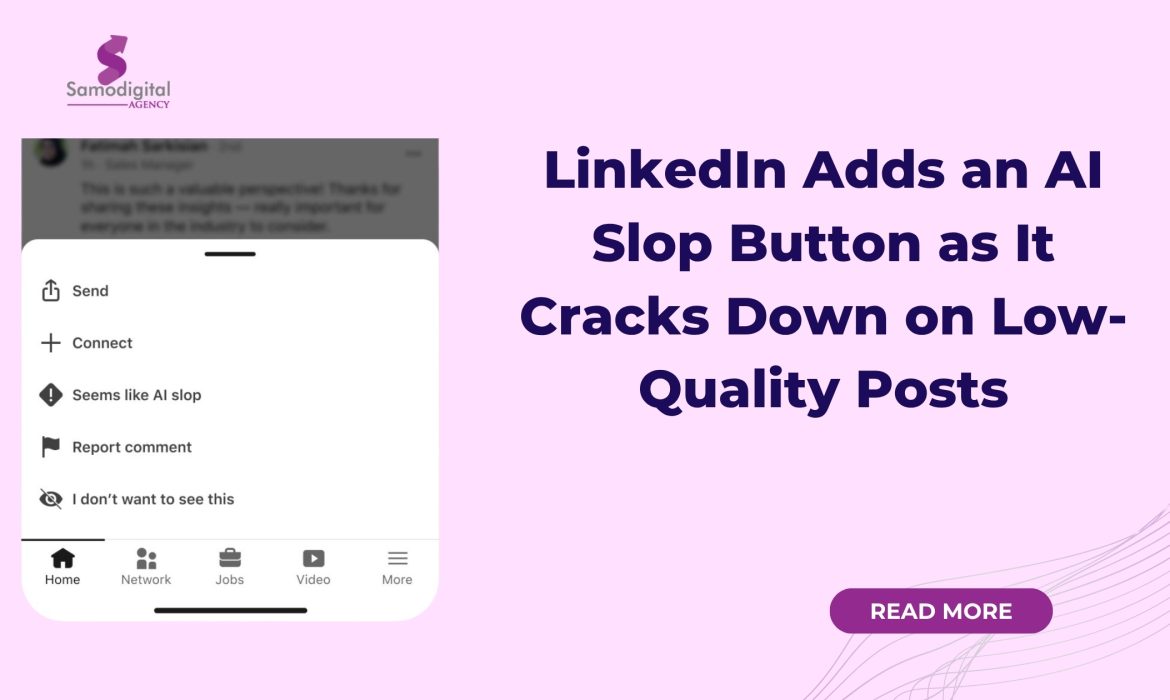
LinkedIn is rolling out a “Seems like AI slop” reporting option that allows members to flag posts and comments they believe feel automated, generic or inauthentic. The LinkedIn AI slop button is part of a wider effort to reduce low-quality content and protect the professional network’s focus on real expertise and human perspectives.
The option appears in the three-dot menu on a post. After a member selects it, LinkedIn hides the post from that person’s feed and uses the feedback as a signal to improve the systems that determine what content should be recommended.
What is AI slop?
“AI slop” generally refers to low-quality content produced or heavily shaped by artificial intelligence. It may be grammatically correct and professionally formatted but still feel empty, repetitive or disconnected from the person publishing it.
The problem is not simply that AI was used.
LinkedIn’s Chief Product Officer, Hari Srinivasan, said the company recognizes that many people use AI to refine their thoughts. The concern is content that lacks an authentic perspective, offers little value or is produced at scale to attract attention and engagement.
This distinction matters. A person can use AI to proofread a post while keeping their experience, argument and voice. However, a polished post can still be considered slop when it repeats familiar phrases without communicating anything useful.
How the LinkedIn AI slop Button will Work
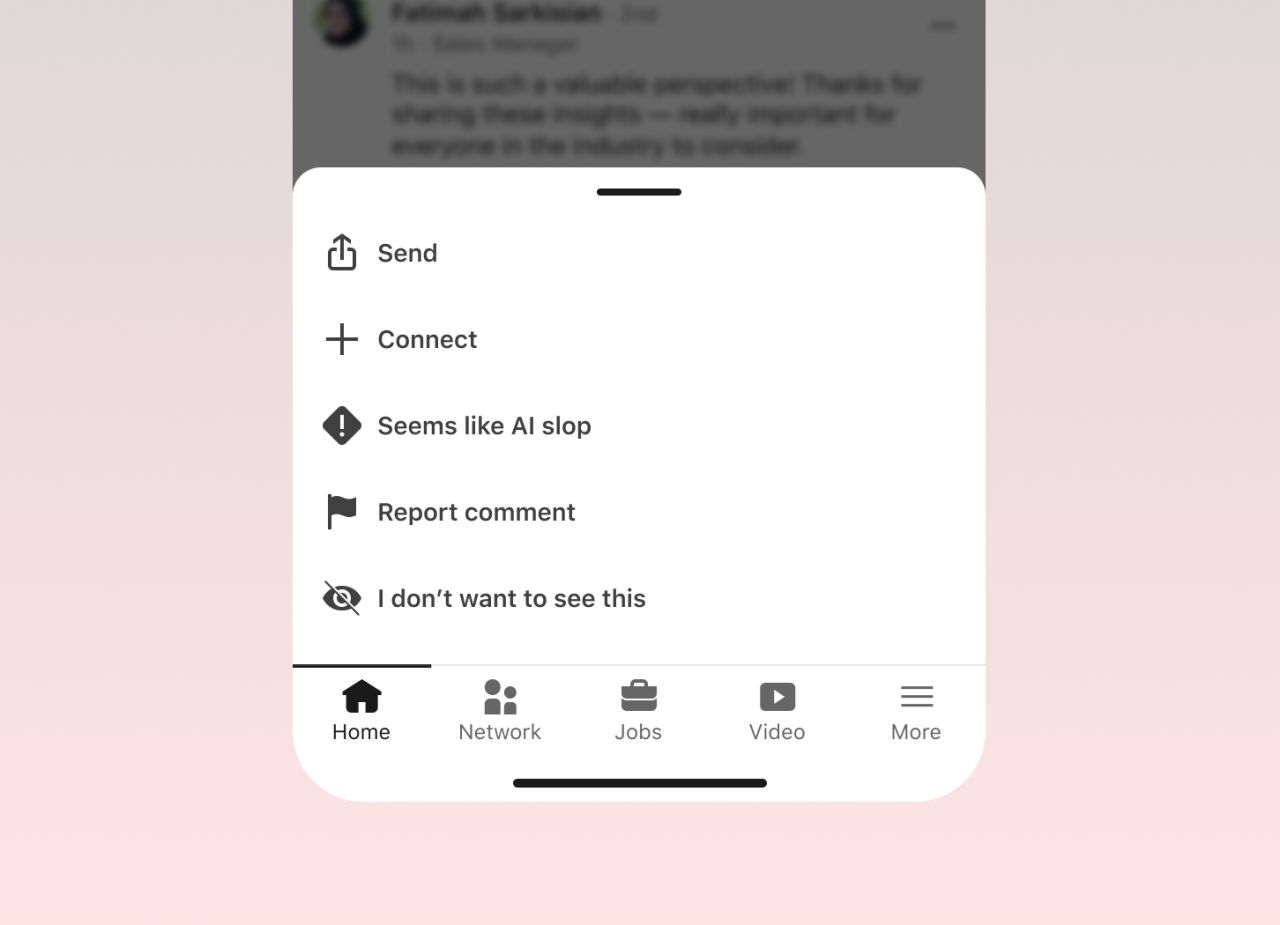
Linkedin seems like AI slop-button
LinkedIn says reports from members will help it tune its models and improve the feed.
The company is also introducing new classifiers designed to identify AI slop and other low-quality posts. This is expected to reduce such content in recommendations, particularly posts published by people outside a member’s network.
The button should therefore be viewed as a feedback tool, not necessarily an automatic penalty.
LinkedIn has not said that one report will cause a post to be removed or immediately reduce its reach. Instead, the reports will provide additional signals that help the platform understand what members consider inauthentic.
LinkedIn is also testing private feedback for creators. A person may see a notice in their analytics dashboard when members feel their post sounds inauthentic or relies too heavily on AI. The feedback will not publicly label the post or identify the members who reported it.
LinkedIn is Changing its own AI writing Tools
LinkedIn is also removing its “enhance your post” feature, which could rewrite a member’s content using AI. It will replace the feature with a proofreading tool that corrects the writing without changing the person’s voice.
This is an important change in direction. LinkedIn is not rejecting AI as a writing assistant. Instead, it is drawing a clearer line between using AI for support and allowing AI to replace personal thinking.
The company is also strengthening its automation defences. LinkedIn says it now catches hundreds of thousands of automated comment attempts every day and has blocked billions of other automation attempts, including large-scale posting, over the past few months.
LinkedIn is also expanding profile and Page verification. Members will be able to block comments from company Pages they no longer want to see.
What Does this Mean for LinkedIn users?
For people who read content on LinkedIn, the update provides a direct way to tell the platform when a post feels mass-produced or offers little value. Over time, this feedback could help LinkedIn reduce generic posts and automated comments in the feed.
For people who publish content, the message is clear: using AI is not automatically the problem, but losing your voice is.
Posts should still contain a real observation, experience, argument or lesson from the person publishing them. AI can help organize ideas, check grammar and improve clarity, but it should not invent expertise or turn every experience into the same predictable thought-leadership post.
There are also possible risks. Members may incorrectly label polished writing as AI-generated. Competitors and critics could also misuse the reporting option against content or viewpoints they dislike.
LinkedIn will therefore need to treat member reports as one signal among several rather than proof that a post is AI slop.
Final Take
The LinkedIn AI slop button is a response to a trust problem, not only a technology problem. When feeds become crowded with automated comments and interchangeable posts, users find it harder to determine whose expertise, experience and opinions are genuine.
The update does not mean people should stop using AI. It means AI should support the writer rather than become the writer.
The strongest LinkedIn content will still come from people who have something specific to say and are willing to sound like themselves.

WhatsApp Introduces Four New Features: What Users and Businesses Should Know
WhatsApp has announced four new features aimed at making the messaging application easier to use across music platforms, computers, cars and iPads.
The updates allow users to share songs from Spotify and Apple Music to WhatsApp Status, open and annotate PDFs inside WhatsApp, access an improved hands-free experience through CarPlay and Android Auto, and create a WhatsApp account directly from an iPad.
The features are already rolling out, although WhatsApp has not provided a detailed country-by-country availability schedule.
At a glance
| Update | What is changing |
|---|---|
| Music sharing | Share songs from Spotify or Apple Music directly to WhatsApp Status |
| PDF support | Open, highlight and annotate PDFs inside WhatsApp |
| Car integration | Hear messages, respond, call contacts and view call history hands-free |
| iPad registration | Create a WhatsApp account directly from an iPad |
Why is WhatsApp introducing these features?
WhatsApp says important conversations are increasingly taking place across several devices and applications rather than only on smartphones.
People may use WhatsApp on a computer while working, an iPad while at home and a supported vehicle system while travelling. The new features are designed to make the platform fit more naturally into these different situations.
Although the four updates serve different purposes, they point to one wider direction. WhatsApp wants to become a communication service that follows users across their daily activities, devices and digital services.
Share music directly to WhatsApp Status
Users can now share songs from Apple Music or Spotify directly to their WhatsApp Status.
The integration reduces the steps involved in sharing music. Instead of copying a link or taking a screenshot of a song, users can share what they are listening to with a few taps. Their WhatsApp contacts can then see the song through the Status update.
What does it mean?
This makes WhatsApp Status more useful as a content-sharing and discovery space.
For ordinary users, it provides another way to express personality, mood and musical interests. For musicians, record labels, entertainment brands and content creators, it could help songs circulate through personal networks.
WhatsApp Status is different from a public social media feed. Updates are normally seen by people who already have some form of connection with the person sharing them. A song recommendation from a friend may therefore feel more personal than a sponsored advertisement or public post.
Artists and music promoters could encourage fans to share newly released songs to their Status. However, the feature will work best when sharing happens naturally. Repeatedly asking audiences to promote music may weaken the personal experience that gives WhatsApp recommendations their value.
Open and annotate PDFs inside WhatsApp
WhatsApp users can now open PDF documents directly within the platform without downloading them first.
On WhatsApp Web and Desktop, users can also make lightweight changes, including highlighting sections and adding annotations inside the conversation. The PDF functionality is powered by Adobe Acrobat.
What does it mean?
This is likely to be the most useful of the four updates for businesses and organizations.
WhatsApp is already widely used to exchange quotations, invoices, reports, contracts, application forms, catalogues and other documents. Being able to open and comment on a PDF within the conversation could make approvals and feedback faster.
A customer could highlight an incorrect item on an invoice. A client could mark a section of a proposal that needs revision. A colleague could point out a clause in an agreement without opening a separate PDF application.
However, organizations should not allow convenience to replace proper document management. Final contracts, approvals and official records should still be stored in secure and organized systems. WhatsApp can support quick collaboration, but it should not become the only place where important documents are kept.
Revamped CarPlay and Android Auto experience
WhatsApp has refreshed its experience on Apple CarPlay and Android Auto.
Users can hear and respond to messages, make WhatsApp calls, see their call history and reach favourite contacts through their vehicle’s supported screen and audio system. The experience is designed to be used hands-free.
What does it mean?
The update could make WhatsApp more convenient for people who spend considerable time travelling, including sales teams, field workers, business owners and professionals moving between appointments.
Users may be able to respond to an urgent message or return a WhatsApp call without reaching for their phones.
However, hands-free communication does not remove the risk of distraction. Drivers should still keep conversations brief, prioritize the road and follow local traffic laws.
For businesses, this also shows why messages should be concise and easy to understand. A person listening through a car system may struggle to follow a long voice note or complicated set of instructions.
Create a WhatsApp account directly from an iPad
WhatsApp users can now register and create an account directly from the WhatsApp iPad application.
Previously, the iPad application primarily worked by linking it to an account established on a phone. The new registration option allows the iPad to become the starting point for setting up the account.
What does it mean?
The update gives users more flexibility in choosing their primary WhatsApp device.
It may be useful for people who rely heavily on tablets, as well as organizations using iPads at customer service desks, exhibitions, reception areas, field operations or retail counters.
The larger screen may also make it easier to manage customer conversations, view shared documents and participate in calls while working with other applications.
Its impact may still depend on how widely iPads are used in each market. In smartphone-first markets, the phone is likely to remain the main device through which most people access WhatsApp.
What do these updates mean for businesses?
These features show that WhatsApp is continuing to develop beyond private mobile messaging.
For businesses, WhatsApp is becoming part of several stages of the customer journey. Customers can discover products through Status, ask questions through chats, receive documents, provide feedback and make calls within the same platform.
Organizations should therefore review how they use WhatsApp across customer service, marketing and internal communication.
Businesses can start by:
- Testing the new PDF tools with non-sensitive documents.
- Updating internal guidelines for sharing and storing files.
- Keeping customer messages and voice notes concise.
- Exploring how WhatsApp Status can support content and music campaigns.
- Checking whether direct iPad registration could support customer-facing teams.
What remains unclear?
WhatsApp says the features are already rolling out, but the announcement does not provide a detailed schedule showing when every user or market will receive them.
It is also unclear whether music sharing will eventually support additional streaming services beyond Apple Music and Spotify.
The PDF tools are currently described as available through WhatsApp Web and Desktop. WhatsApp has not announced equivalent annotation tools for all mobile versions of the application.
Final take
The significance of these updates is not found in any single feature. It is in the direction WhatsApp is taking.
WhatsApp is positioning itself as a communication layer that connects people across entertainment, work, travel and different devices. Sharing music strengthens Status as a discovery space. PDF support makes WhatsApp more useful for workplace collaboration. Improved car integration and direct iPad registration expand where people can access conversations.
For businesses, this creates both convenience and responsibility. WhatsApp can reduce friction in customer communication, but organizations still need clear rules for privacy, record-keeping and document approval.
The platform may have started as a simple messaging application, but it is increasingly becoming part of how people communicate, work and complete everyday tasks.
Original source: Meta Newsroom

